
About the app
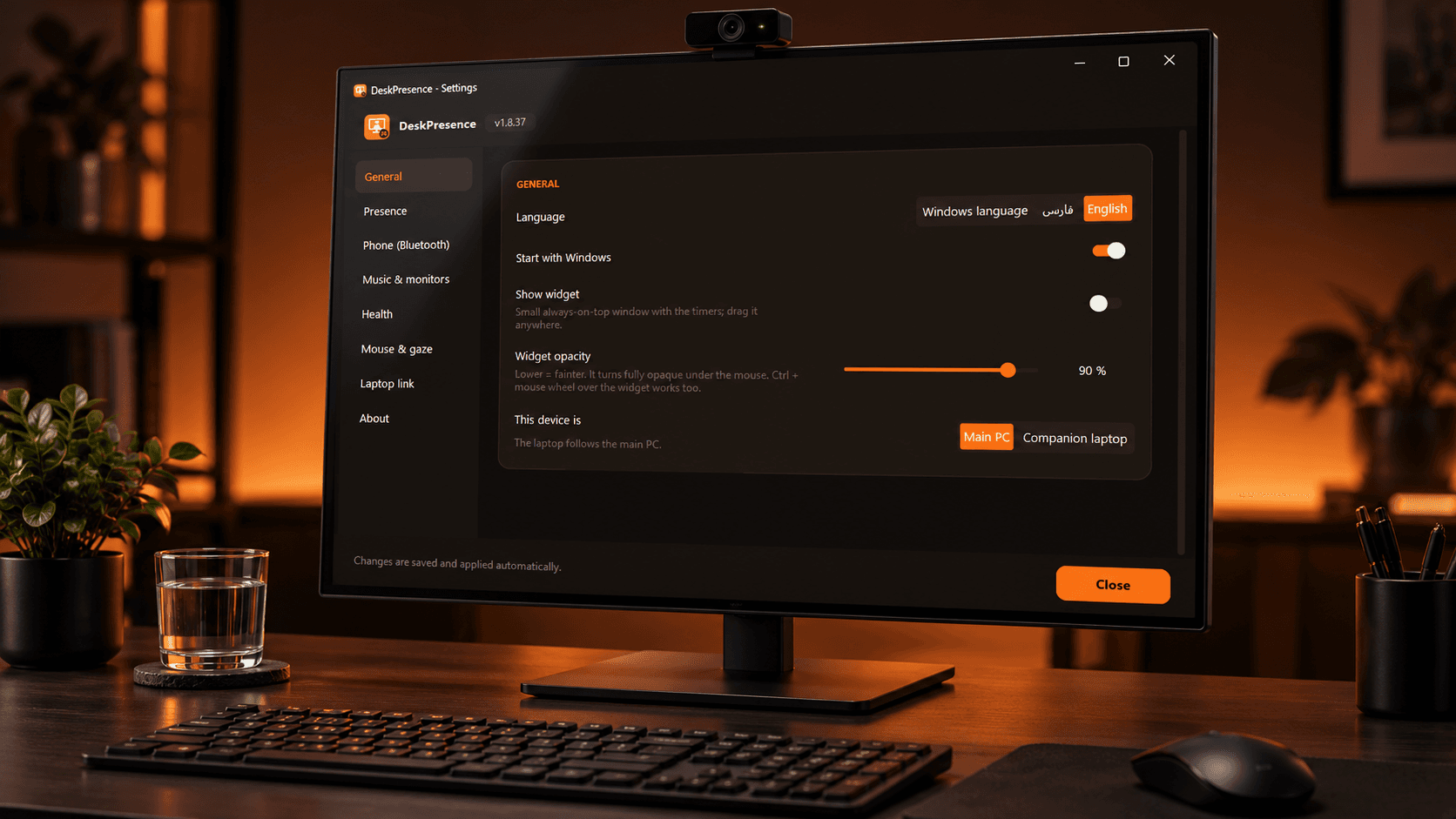
A Windows app that notices when you leave the desk: it pauses your music and turns the monitors off, brings both back when you sit down, and keeps you healthy with water reminders, forced breaks and webcam-counted desk exercises.
Problem
When you get up from the desk, music keeps playing, videos run on and the monitors stay on. Windows' own sleep timers are either too slow or turn the screen off while you are still reading. On top of that, long hours at the desk without water, breaks or movement are bad for your health, and generic reminders are easy to ignore.
Solution
DeskPresence runs locally in the tray and decides whether you are at the desk from the webcam, your paired phone over Bluetooth, or keyboard and mouse activity. By default the webcam is off and only takes a short look every few minutes. A person detector recognises you even when you turn your head away, and an optional “only me” mode means only the owner's face turns the PC back on. When you leave, music and videos pause and every monitor turns off after a short on-screen countdown. When you come back, the monitors wake and the music resumes. Timers count only time at the desk and drive water reminders, a forced break that only counts down when you actually leave, and a desk-exercise window where the webcam counts every repetition and corrects your form. Extra features: the cursor can follow your head or eyes across monitors, the webcam is handed over automatically to video-call apps, and a companion laptop mirrors the desktop over the local network.
App details
- Release date
- Oct 2026
- Status
- Shipped
- Genre
- Tool
- Type
- Personal project
- Platforms
- Desktop
- Target Audience
- People who work long hours at a Windows PC: developers, designers, students and remote workers, especially those with several monitors or a desktop and laptop side by side.
- My Role
- Product idea, design and full development: presence detection, computer vision, the Windows integration, the bilingual (Persian/English) UI, the installer and the automated build and release pipeline.
- Duration
- < 1 mth
Feature Highlights
Leaves with you, comes back with you
When you get up, music and videos pause and every monitor turns off after a short on-screen countdown. Sit down again and the screens wake up and your music plays on.
Webcam only now and then
The webcam stays off and opens for a short look every few minutes, and not at all while you type or use the mouse.
Body, not just face
A person detector sees you from the side or from behind, so looking at your phone or turning your head never turns the screens off.
Only you turn it back on
Teach it your face once: from then on only the owner wakes the PC, and anyone else at the keyboard gets dark screens again.
Desk exercises with a coach
Six desk exercises where the webcam counts every repetition, cheers you on and corrects your form, like “straighten your arms”.
Water and real breaks
Timers count only time at the desk. Water reminders, and a forced break that only counts down while you are actually away.
Cursor follows your gaze
Turn your head to another monitor and the cursor jumps there, or let it follow your eyes with iris tracking.
Phone, laptop and video calls
Use your Bluetooth phone as a presence source, hand the webcam to Zoom or Teams automatically, and let a companion laptop follow the desktop.
Private by design
Everything runs locally: webcam frames stay in memory and are never saved or uploaded. No accounts, no telemetry.
Technologies & skills
- Python
- OpenCV
- MediaPipe
- WinRT
- Tkinter
- CustomTkinter
- PyInstaller
- Inno Setup
- GitHub Actions
Lessons Learned
Computer vision on a webcam needs several signals: a face detector alone fails as soon as you look at your phone, so the app combines face, body, phone and input activity. Windows APIs such as WinRT media control are only reliable when every call runs on one dedicated thread with timeouts. Privacy has to be a design rule from the start: frames stay in memory, nothing is uploaded, and only numeric face descriptors are stored.